
Get subscription
Nodes are the core of proxy access, so ClashX needs a subscription or profile before it can route traffic.
The recommended workflow is URL import: copy the subscription URL from your provider. The screenshots use Changlian subscription provider as the example.
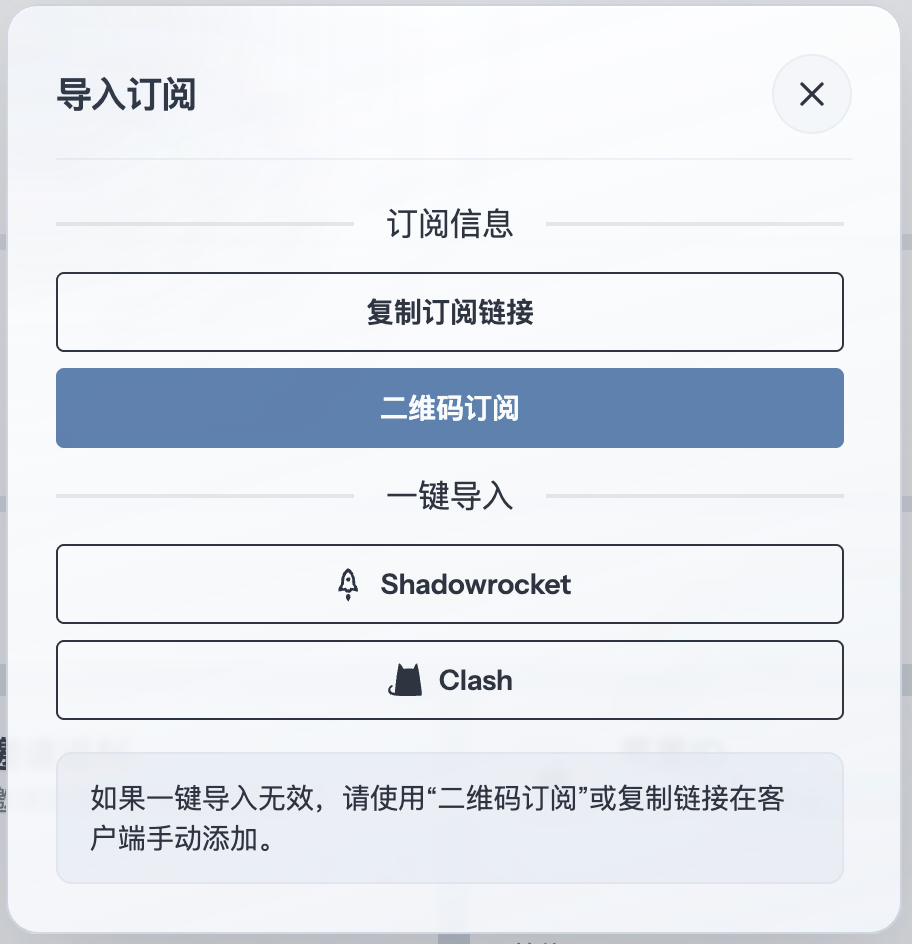
Add profile
Open the profile, configuration or subscription entry in ClashX. Paste the copied subscription URL into the URL field, then save, download or import the profile according to the client prompt.
If the client also supports local files, use that only when URL import is unavailable or your provider explicitly gives a YAML file.
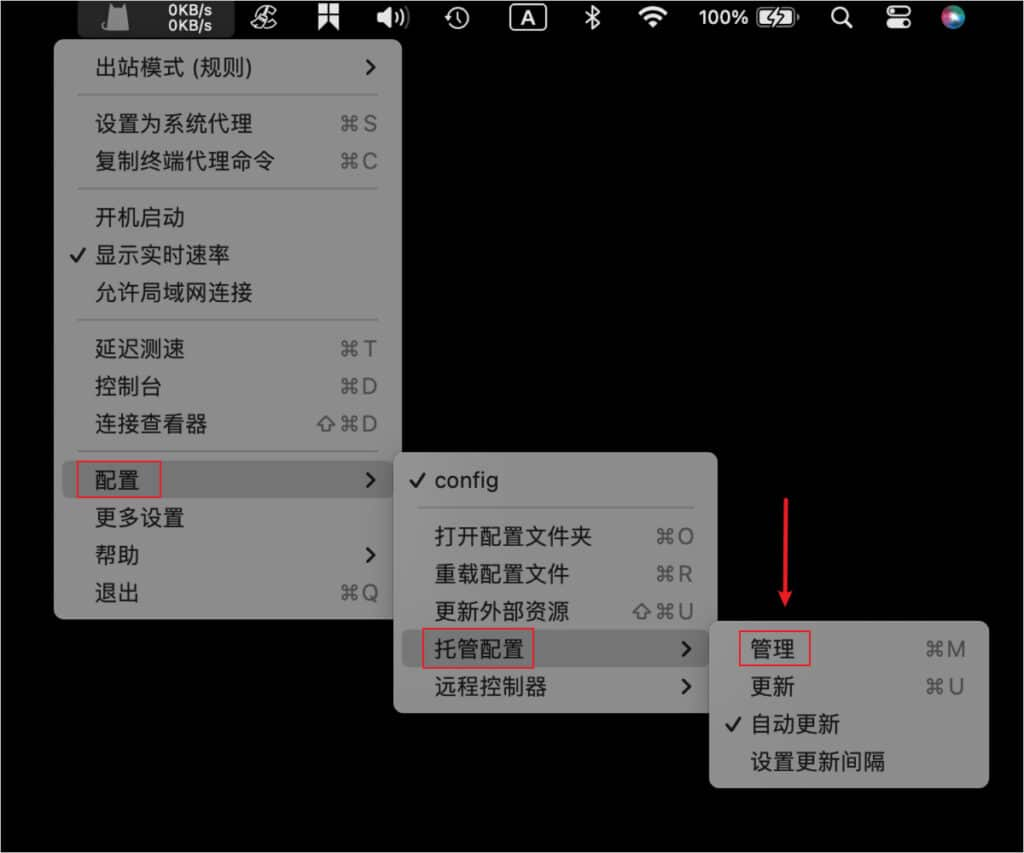
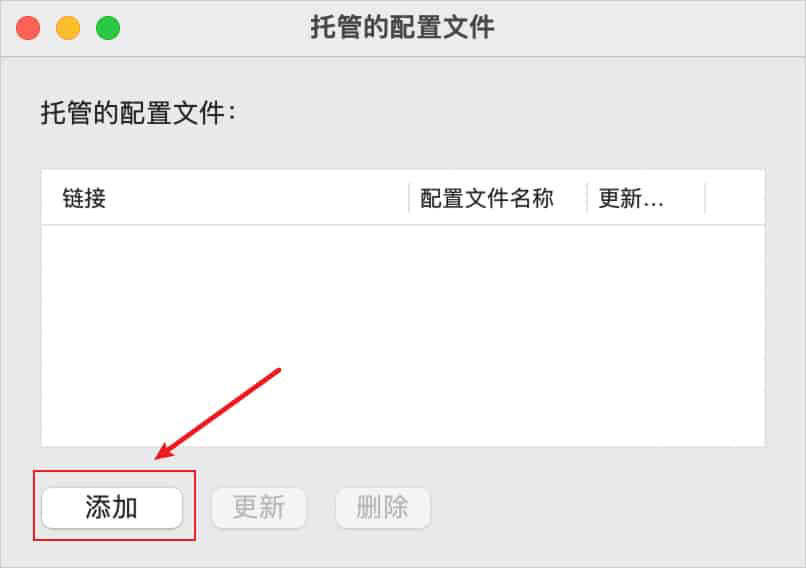
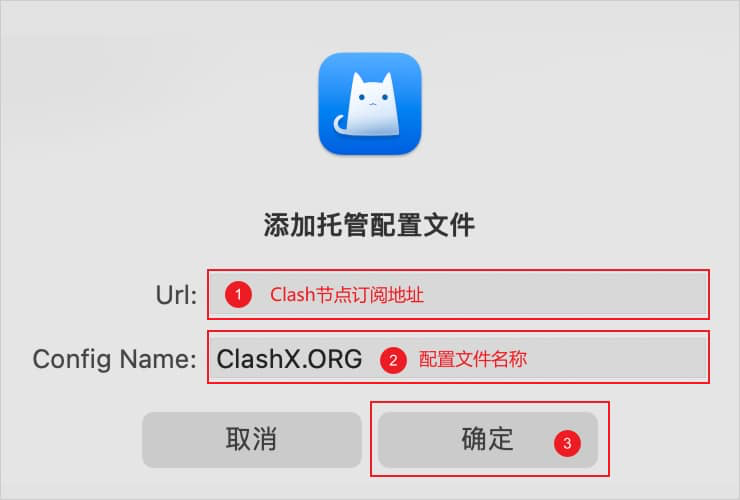
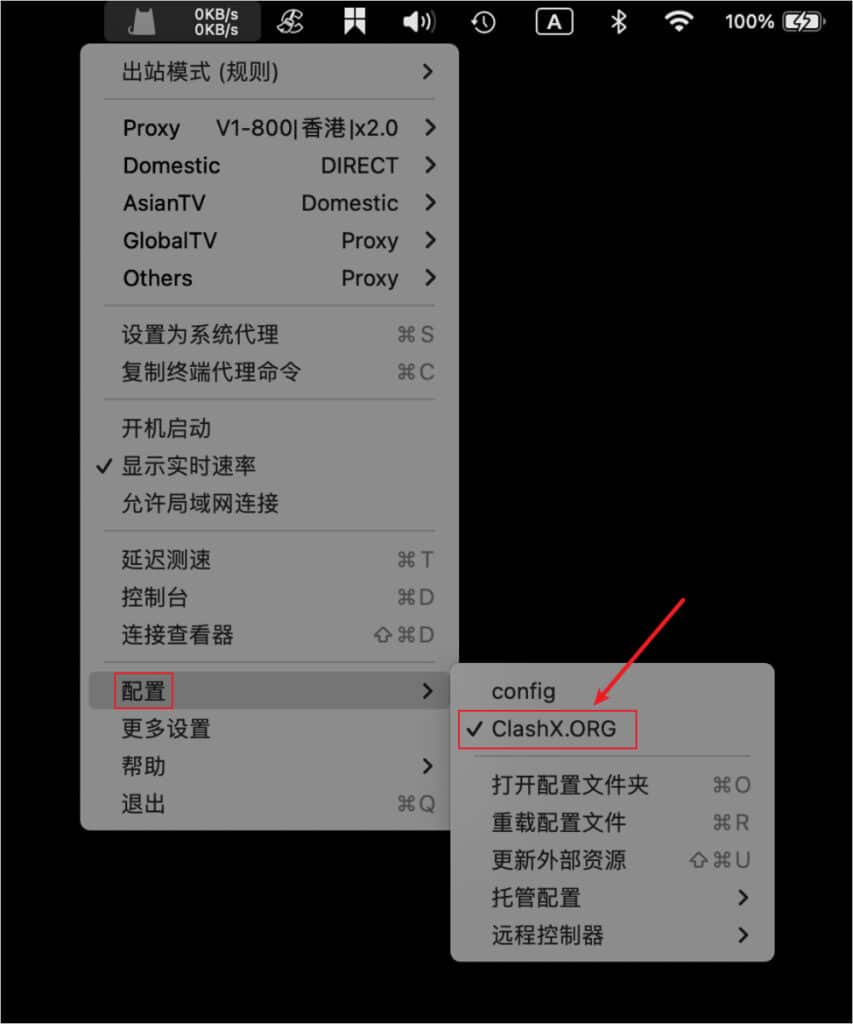
Start proxy
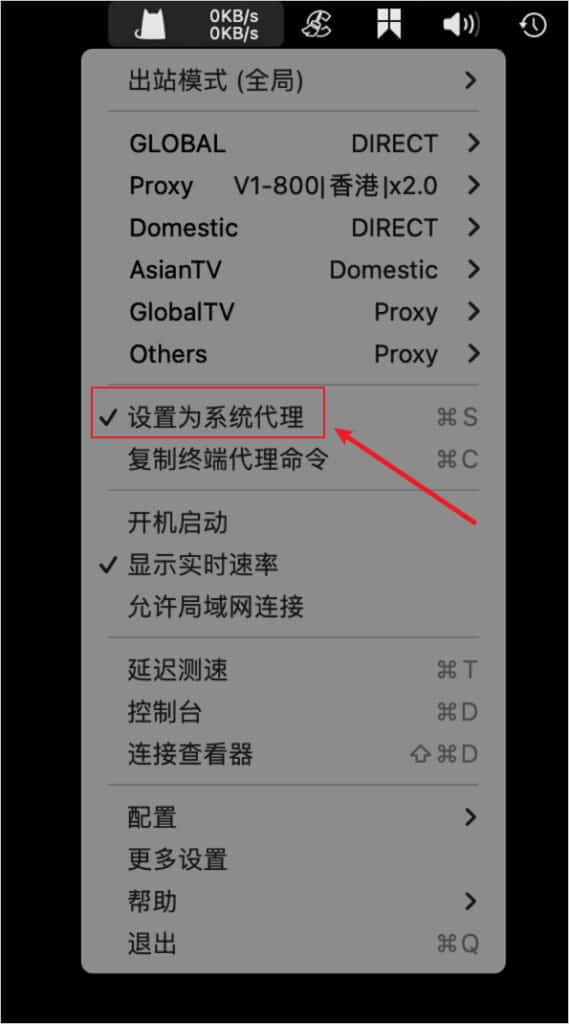
Enable the proxy switch shown in the screenshots. Desktop clients usually use System Proxy, while mobile clients may request VPN permission the first time.
After it is enabled, traffic is forwarded through the ClashX profile.
Outbound mode notes
ClashX supports different routing modes for different situations. Keep Rule Mode for everyday use unless you are troubleshooting or need a fixed behavior.
- Rule Mode is recommended for daily use because it follows the profile rules.
- Global Mode sends all traffic through the selected proxy and is useful for testing.
- Direct Mode bypasses the proxy when you need local access or network debugging.
- Script Mode is for advanced profiles that define custom routing logic.