
Install the Right Version
Windows, macOS and Linux packages are different. Apple Silicon and Intel Mac also require different builds.
Package selection guideClash Verge Rev is a GUI client for Windows / macOS / Linux. Follow these steps to import a subscription URL, update the profile, choose a node and enable proxy mode.
Before following the tutorial, confirm the installer source, package format, subscription URL and required system proxy or VPN permissions.
Windows, macOS and Linux packages are different. Apple Silicon and Intel Mac also require different builds.
Package selection guideClash Verge Rev does not provide nodes by itself. Copy a Clash or Mihomo subscription URL from the Changlian provider dashboard.
Subscription tutorialFor everyday use, start with rule mode so local sites connect directly while selected traffic uses proxy nodes.
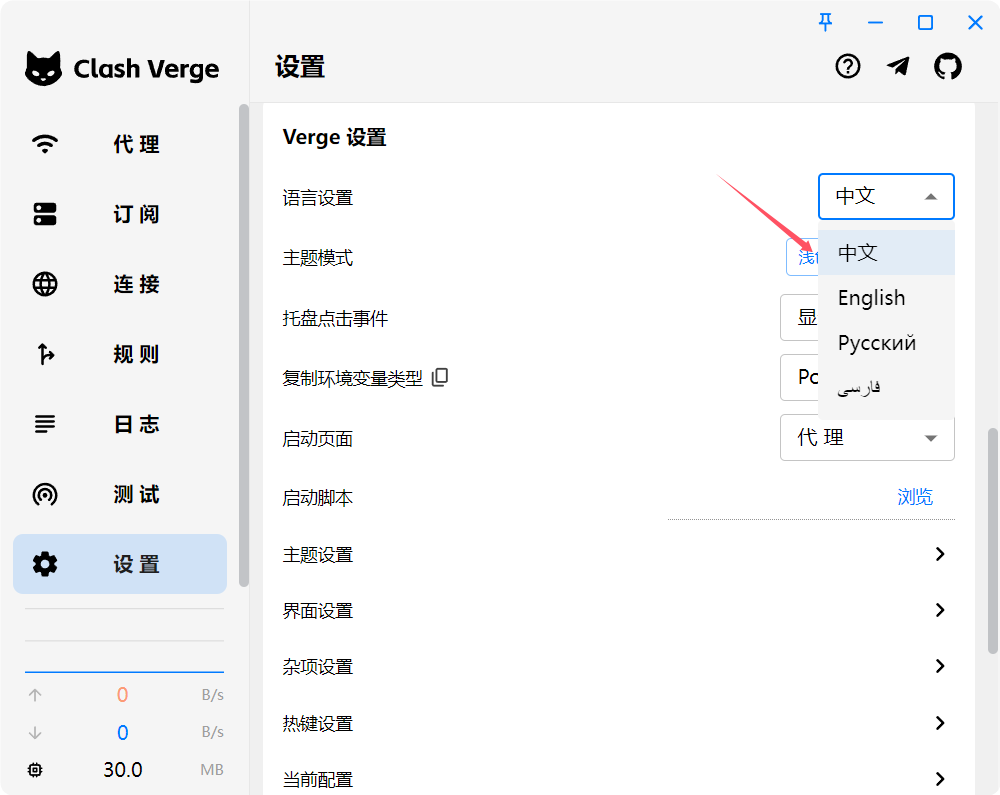
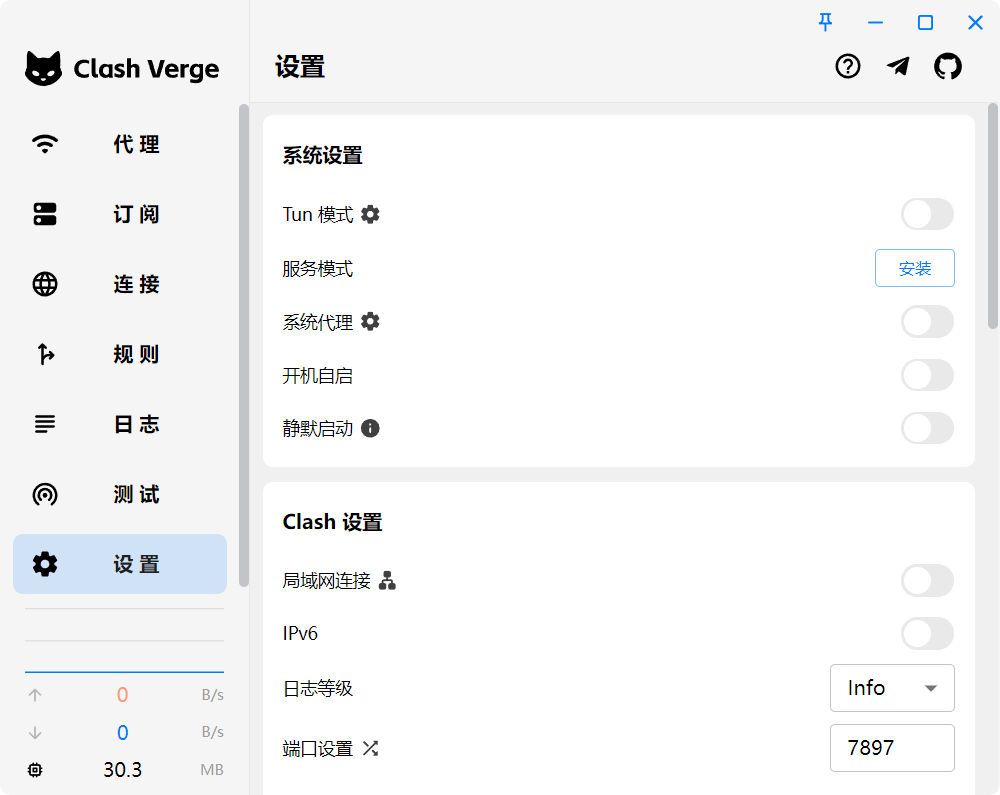
Understand rule modeAfter installation, open Settings and switch the interface language if you prefer the Chinese UI shown in the screenshots.
Nodes are the core of proxy access, so Clash Verge Rev needs a subscription or profile before it can route traffic.
The recommended workflow is URL import: copy the subscription URL from your provider. The screenshots use Changlian subscription provider as the example.
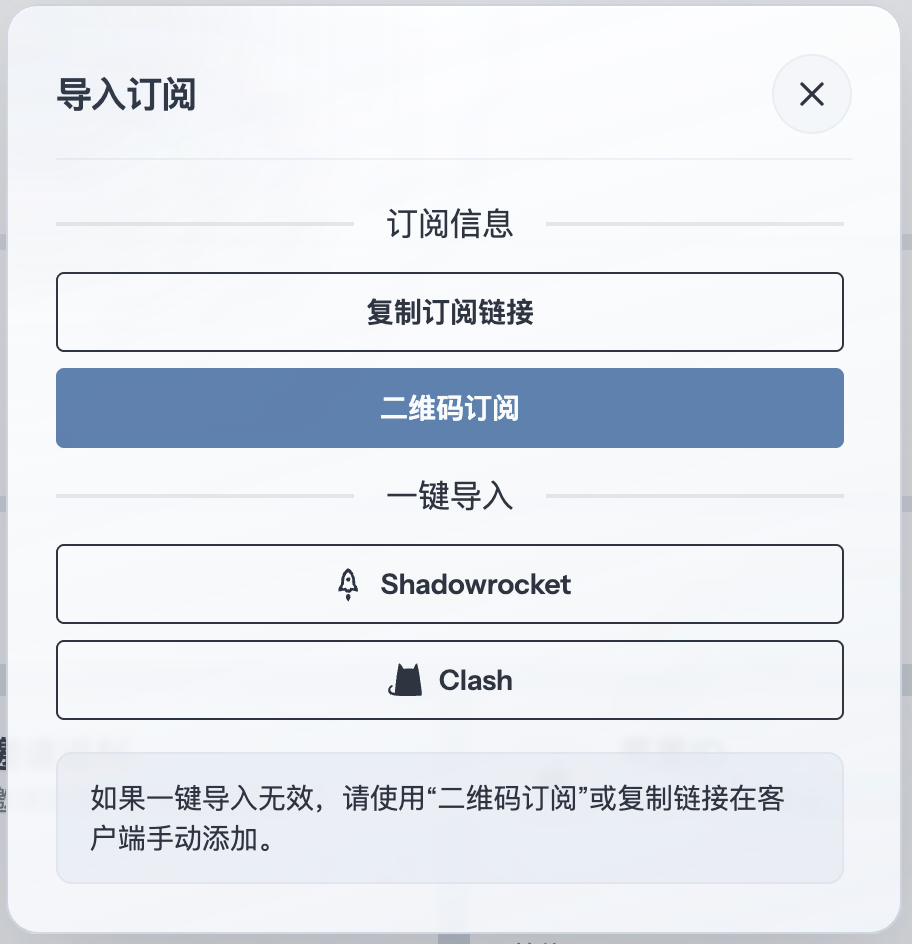
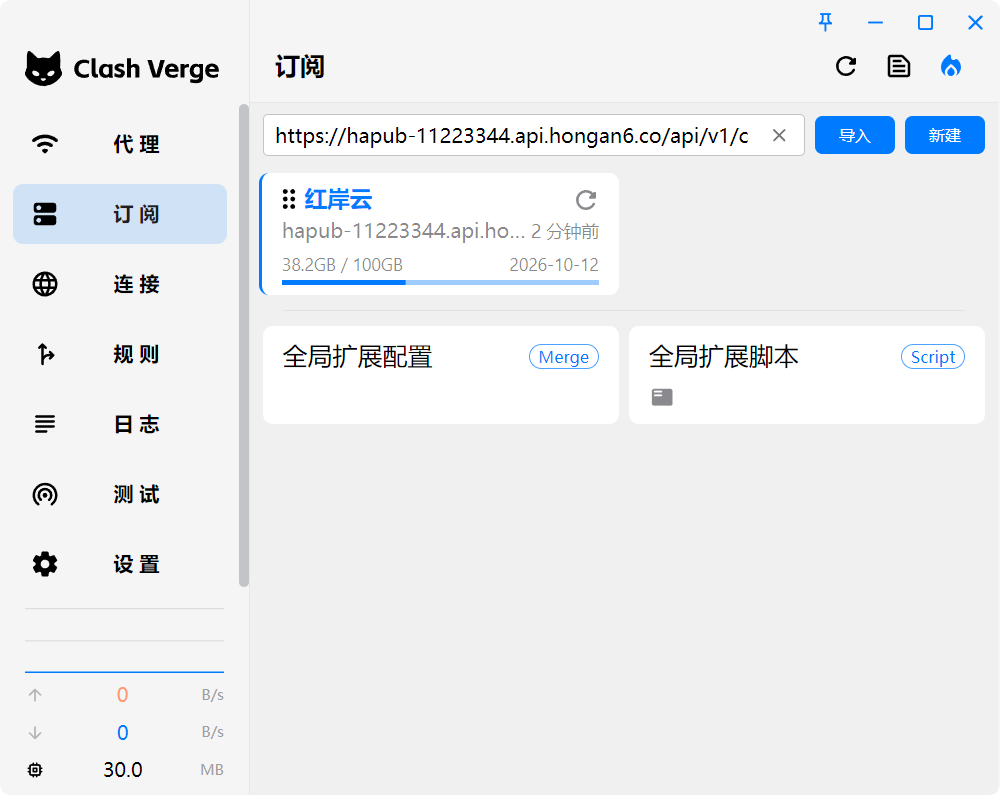
Open the profile, configuration or subscription entry in Clash Verge Rev. Paste the copied subscription URL into the URL field, then save, download or import the profile according to the client prompt.
If the client also supports local files, use that only when URL import is unavailable or your provider explicitly gives a YAML file.
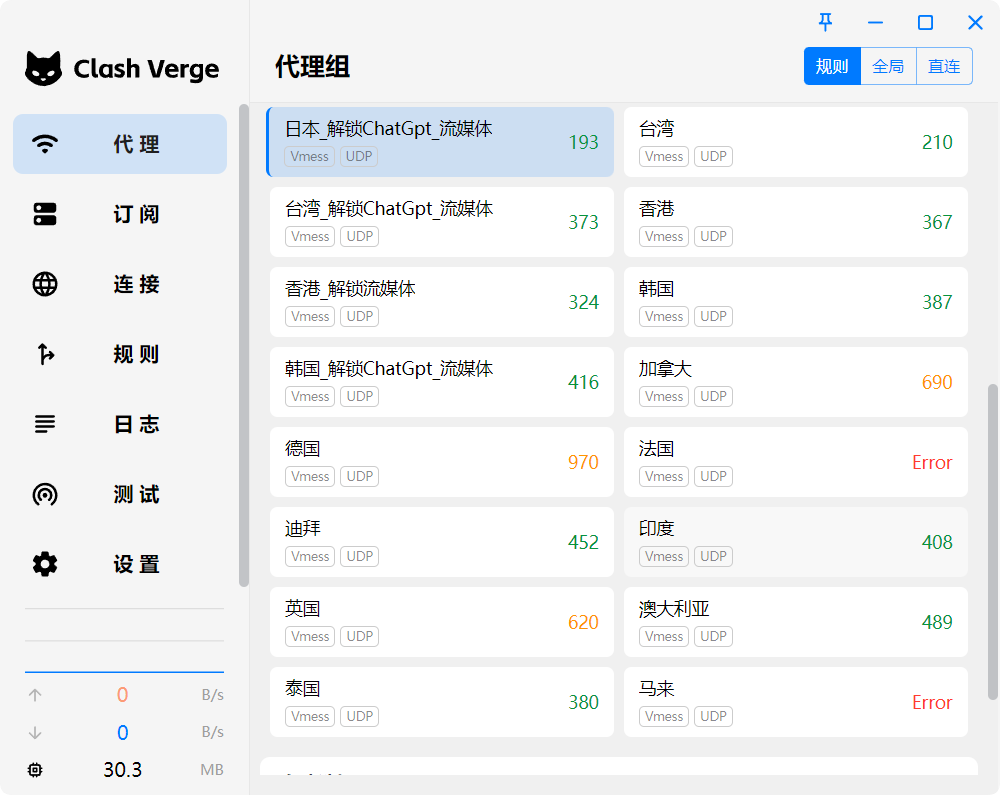
Open the proxy or policy group view and choose an available node. Pick a node based on region, latency and the service you need to access.
Enable the proxy switch shown in the screenshots. Desktop clients usually use System Proxy, while mobile clients may request VPN permission the first time.
After it is enabled, traffic is forwarded through the Clash Verge Rev profile.
Clash Verge Rev supports different routing modes for different situations. Keep Rule Mode for everyday use unless you are troubleshooting or need a fixed behavior.